Enhanced Sign-in Experience
Unified fragmented local and federated sign-in flows into a single, seamless authentication experience.
User research
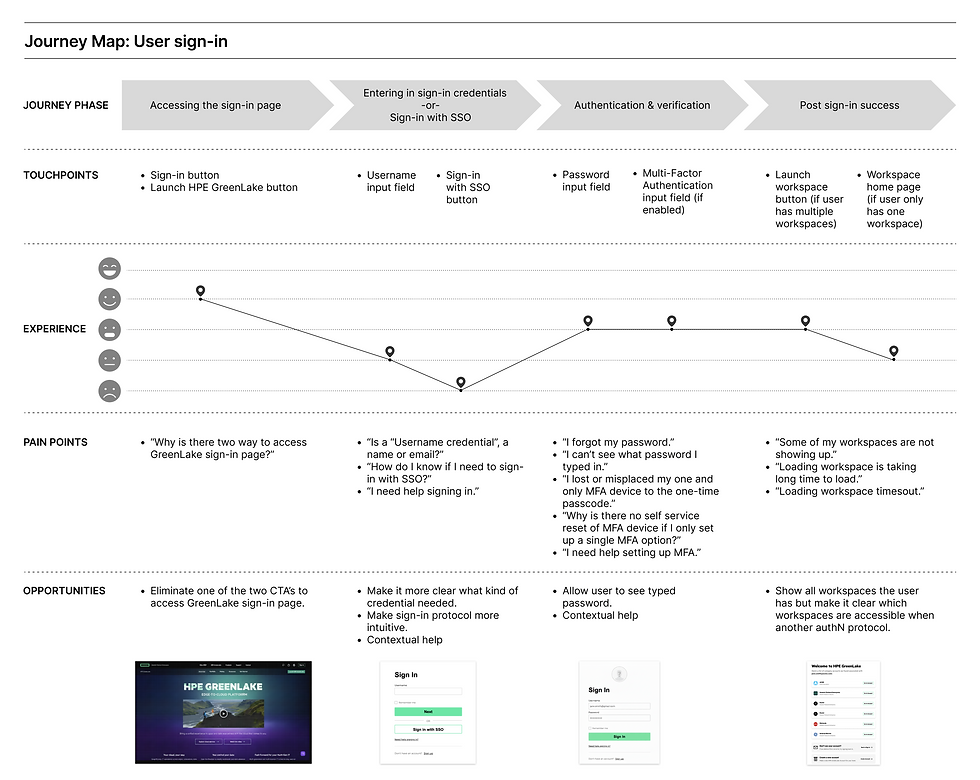
Journey map
Design

Project
Overview
The problem
The legacy HPE GreenLake sign-in experience was a major friction point for existing users and migrating users from integrated applications onto the platform, driving high volumes of Technical Assistance Center (TAC) support tickets. While system logs pointed to technical glitches, internal design review reveal other deeper problems: a highly fragmented, confusing interface experience.
Role
Lead UX Designer
Timeline
May - June 2025
Discovery & Empathize
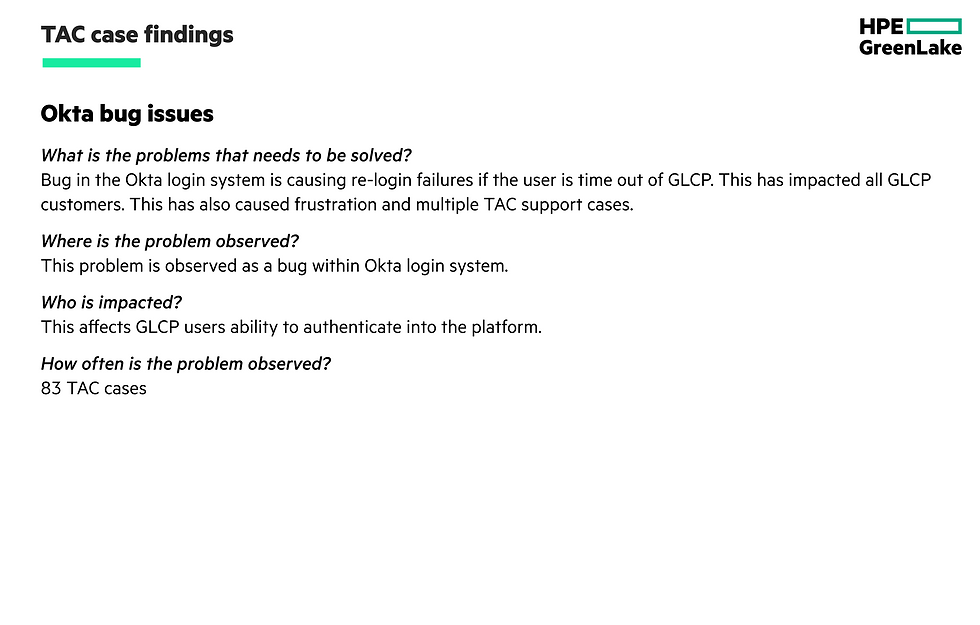
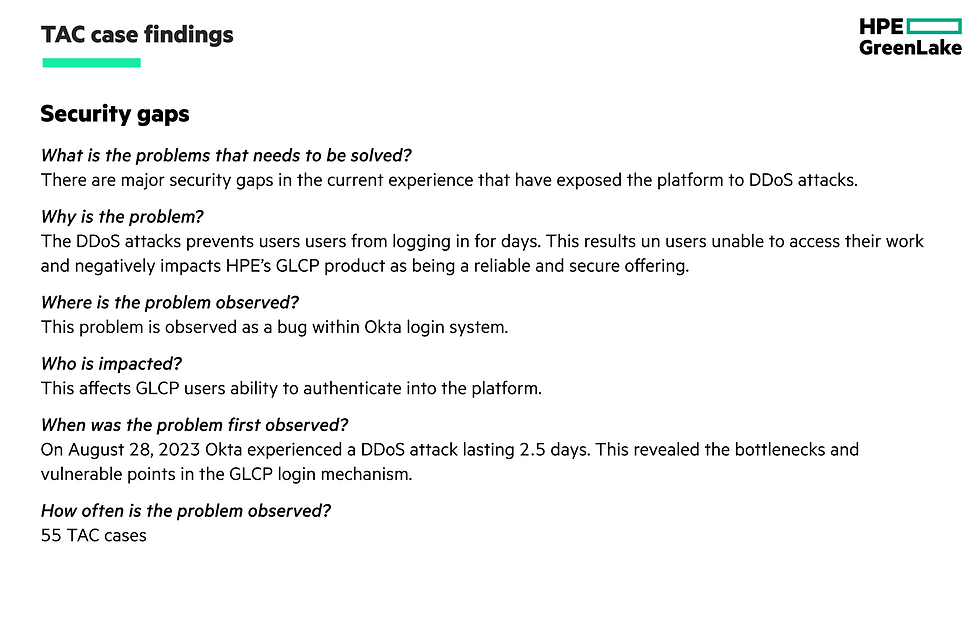
TAC support cases
To kick off the discovery phase, I looked into the root causes behind the persistent sign-in issues by discussing and reviewing the Technical Assistence Center (TAC) support tickets a little more closely with core internal stakeholders, primarily the Product Manager and Authentication (AuthN) Engineers, to cross-reference user complaints with system behavior. My deep dive with the team revealed that the vast majority of these login failures were caused by backend engineering issues rather than frontend usability flaws, allowing me to isolate some of the problem space before designing a solution.


Initial design & implementation ownership
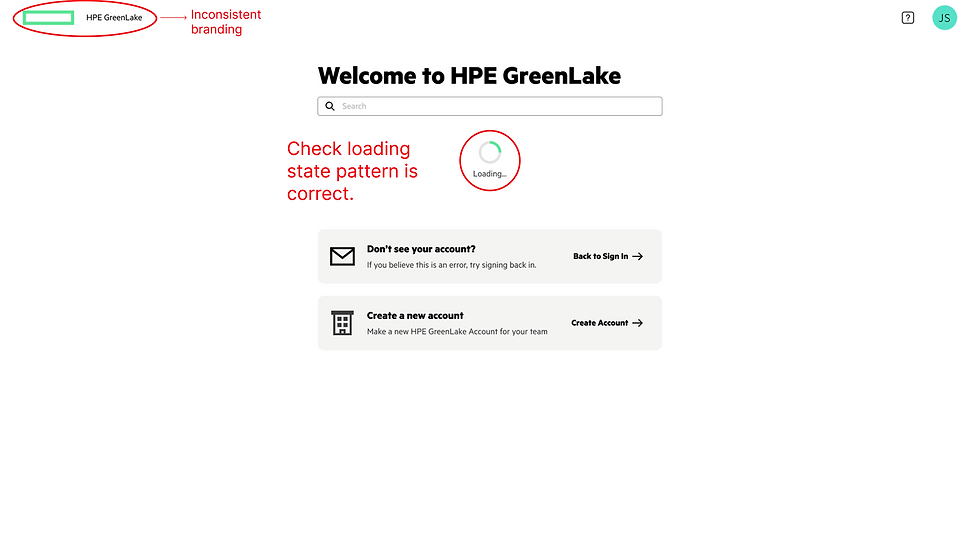
Also, during my review of the sign-in TAC support cases with Product Management, I found out the initial design and the actual implementation had been handled by entirely separate engineering and product teams. This siloed approach explained the root cause of the platform’s fragmented user experience. Because there was no unified ownership or cross-functional continuity, subtle interface inconsistencies and broken user flows slipped through the gaps during later platform enhancements.
Initial sign-in screen enhancements

Key enhancement
Made the sign-in experience more intuitive for the user by leveraging the users email credential to identify and route the user to sign-in using the proper protocol.
Other design enhancements include:
-
Updated logo.
-
Added more context to the "Sign In" header.
-
Updated the input field label.
-
Removed the option to 'Sign in with SSO'.
-
Unhid the help links.
-
Added contextual help link to the page header.
-
Added links to support documentation & case creation.
Sign-in with password enhancements
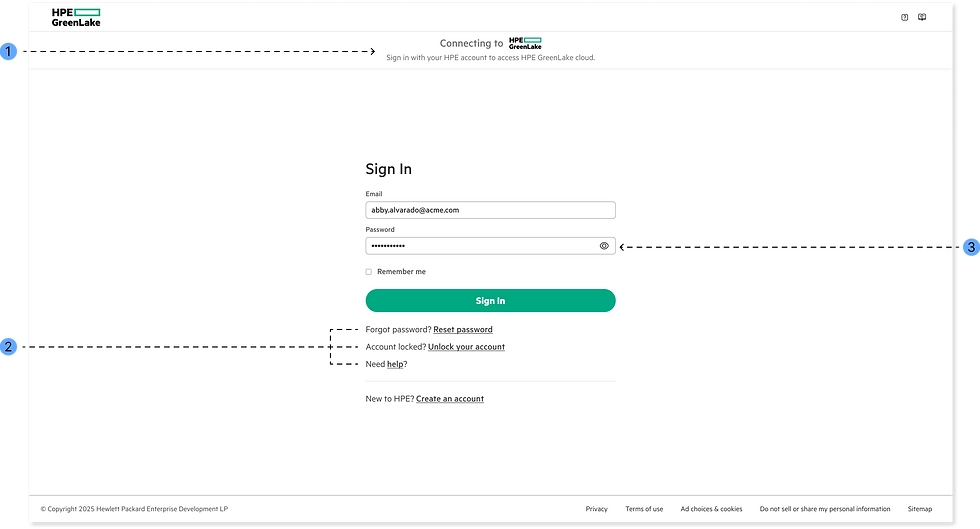
Key enhancement
Removed the option to sign-in with SSO. If the system determines the user email is non-federated the user can only sign-in with a password credential.
Other design enhancements include:
-
Updated global sub-header for the HPE IT team
-
Unhid the help links.
-
Added a unhide/hide icon button for the password input field.
Duel-authentication profile enhancement

Key enhancement
Present sign-in choices only when the system detects a dual-authentication profile (both federated and non-federated). This allows eligible users to manually choose between enterprise SSO or password credential authentication.
My workspace page enhancements
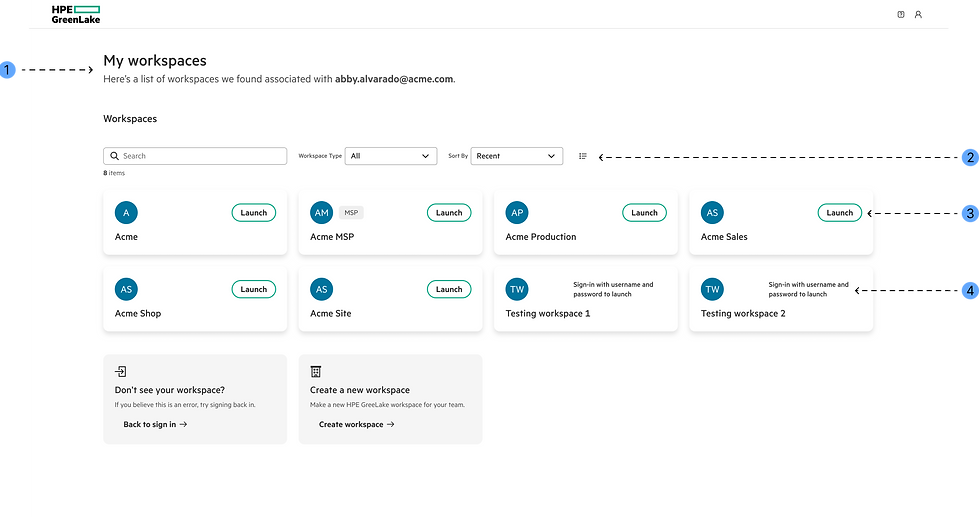
Key enhancement
Terminology update: Changed "account" to "workspace" across this page so that it's consistent with the product nomenclature.
Other design enhancements include:
-
Updated page header text.
-
Added workspace sort options.
-
Updated workspace button labels to "Launch".
-
To minimize user confusion, the interface displays all workspaces tied directly to the user’s identity credentials, regardless of the specific authentication method used to sign in.
Full enhanced sign-in workflow designs
Scenario 1: Non-federated (Password credential) authentication

Scenario 2: Federated Single Sign-On (SSO) authentication

Scenario 3: Users choice (Password or SSO authentication)

Scenario 4: Multi-factor authentication (if enabled)
.png)
Ideation
Intuitive sign-in flow
Signing in should be effortless, but users found our current flow deeply unintuitive. It forced users to actively think through steps that should be automatic. This cognitive overload left users feeling frustrated and sometimes stuck before they even reached the platform. Collaborating with engineering we came up the following more intuitive workflow.


Prototype coming soon
Impact & Retrospective
Metrics
-
-74% Drop in authentication-related TAC support tickets a month after the enhancements went general available.
-
100% of internal users feedback received were all positive.
Contraints
-
HPE IT team owns parts of the implementation
Next steps
-
OIDC integration
Explore more projects


Customer markup rates
This is the space to introduce the Services section. Briefly describe the types of services offered and highlight any special benefits or features.
.jpg)

Item Title Two
Use this space to promote the business, its products or its services. Help people become familiar with the business and its offerings, creating a sense of connection and trust.

Item Title Three
Use this space to promote the business, its products or its services. Help people become familiar with the business and its offerings, creating a sense of connection and trust.
Research
UX audit
Recognizing that backend infrastructure fixes were going to be underway, I shifted my focus to look beyond the engineering tickets. So I led a UX audit of the sign-in workflow with the product manager and a few other product designers to investigate other usability friction points or confusion that users might be experiencing during the sign-in process but might not officially report to technical support.

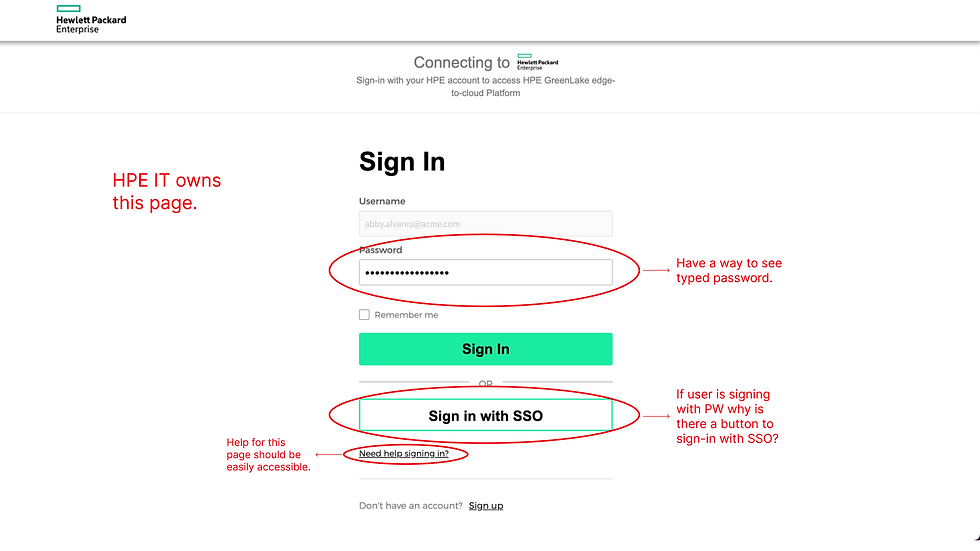


Journey Map
Following the UX audit I synthesized the feedback into a in-depth user journey map, transforming abstract friction points into clear, strategic product enhancement opportunities.